

Authentication
Create an API key in Maito and send it as a Bearer token.Authentication Steps
Authentication Steps
- Open Maito and go to Settings.
- Open API Keys in the Developer section.
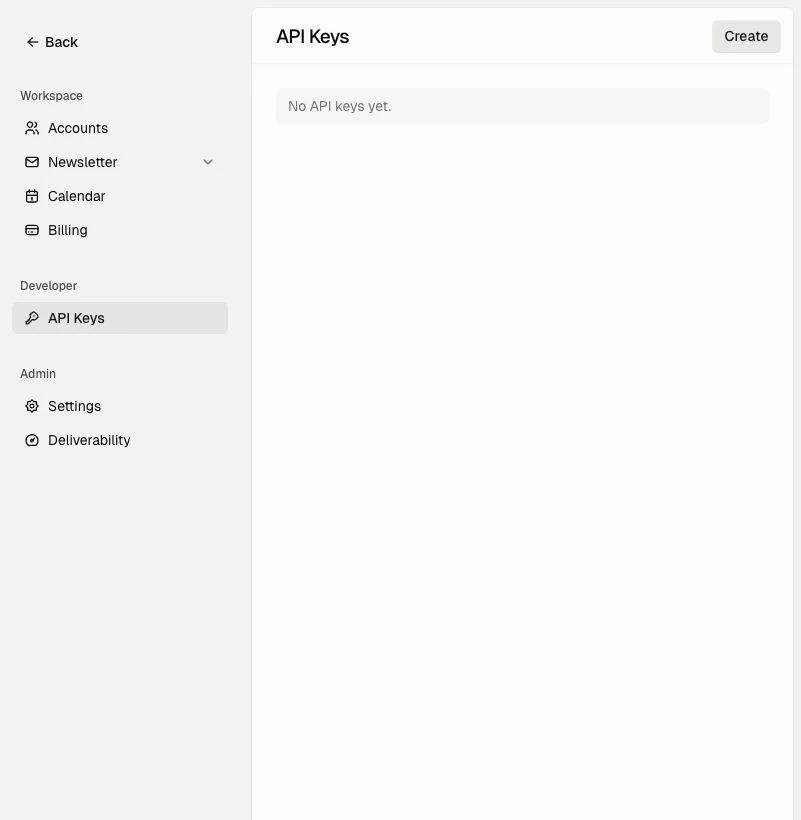
- Click Create.
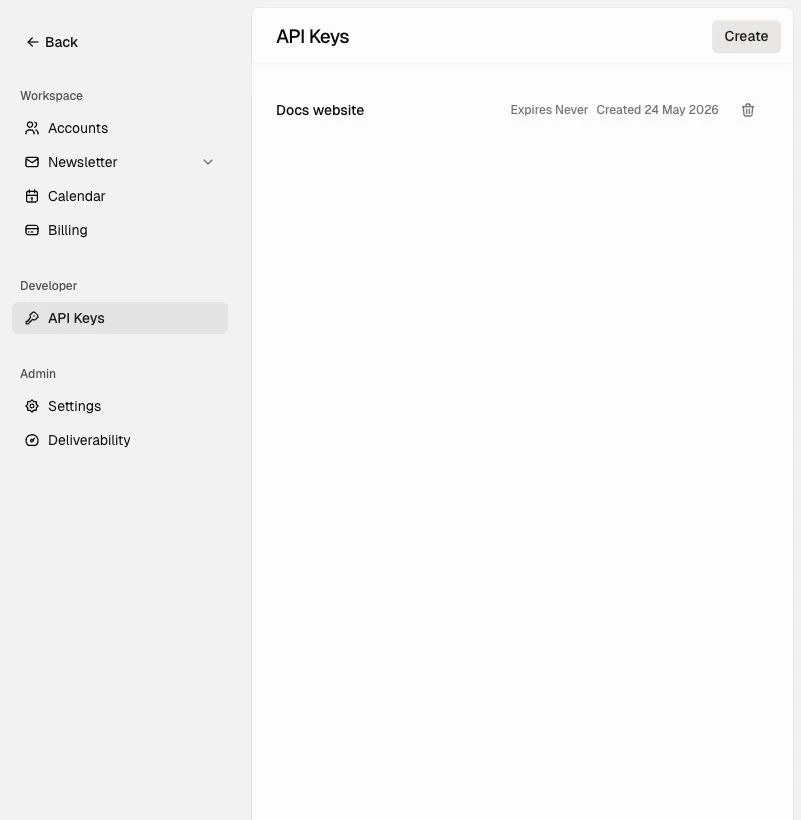
- Give the key a clear name, such as
Production,Docs website, orInternal tool. - Choose an expiration policy.
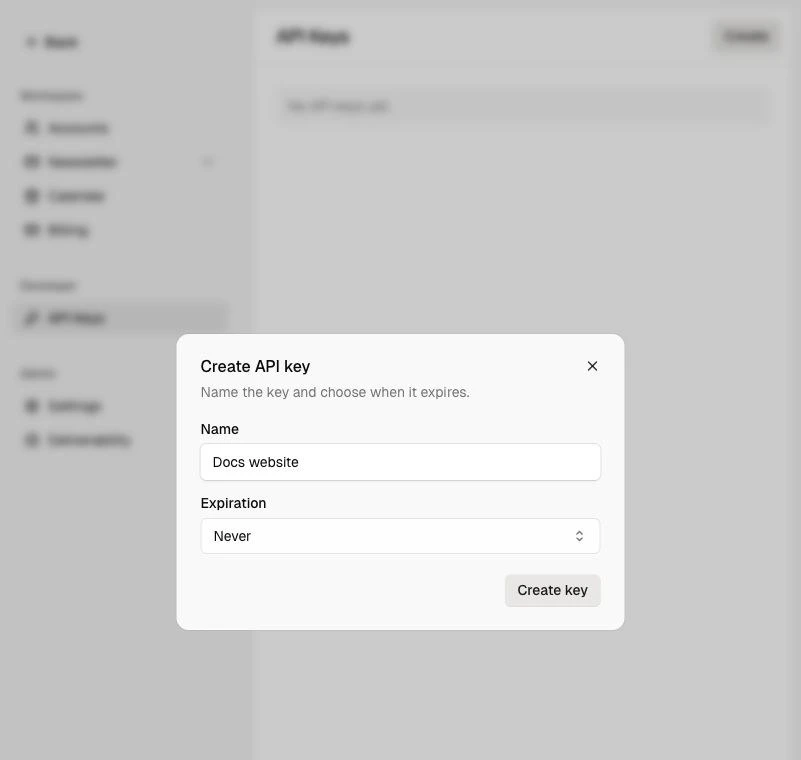
- Click Create key.
- Copy the key immediately. Maito shows the secret only once.
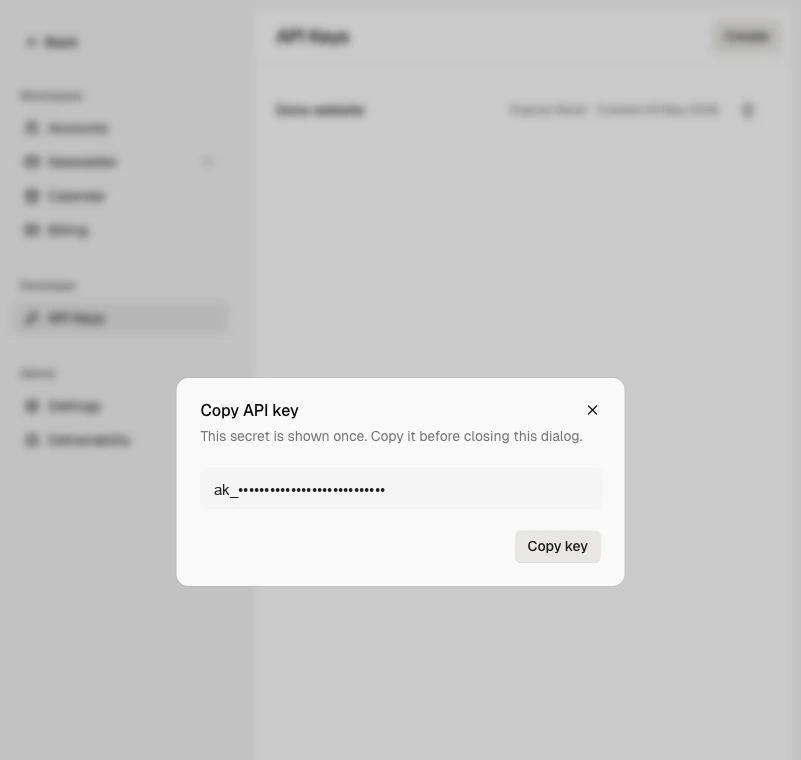
- Store the key in a server-side secret manager or environment variable.
Authorization header:
API Reference
The base URL for the API is:Newsletter Settings
Read and update newsletter publication settings.
Subscribers
Create subscribers, import subscribers, list subscribers, and block or delete subscribers.
Categories
List, create, and delete newsletter categories for archives and custom websites.
Issues
List public issues, get an issue by slug, create drafts, update issues, and send issues.
Analytics
Read newsletter overview analytics and issue-level analytics.
Media Uploads
Upload media assets for newsletter workflows.
Custom Newsletter Website
Custom newsletter websites should use a backend proxy that keeps the Maito API key server-side. Use these endpoints for the website experience:- List issues:
GET /v1/newsletter/issues?status=sent&isPublic=true - Get issue by slug:
GET /v1/newsletter/issues/by-slug/{issueSlug} - List categories:
GET /v1/newsletter/categories - Create subscriber:
POST /v1/newsletter/subscribers
Responses
Successful responses use this shape:Scope
API keys are supported only on external integration endpoints. They are not a general way to call every route used by the Maito app. Current customer API groups:- Newsletter
- Media uploads
Rate Limits
Rate limits are not finalized yet. Until a formal policy is published, integrations should:- Avoid polling loops
- Retry
5xxresponses with exponential backoff - Treat
429as a signal to slow down - Prefer batching where an endpoint supports it
OpenAPI Spec
Use the OpenAPI document to inspect the full request and response schemas:- JSON: /openapi.json